
Play as you are
Windows 10/11 · no credit card
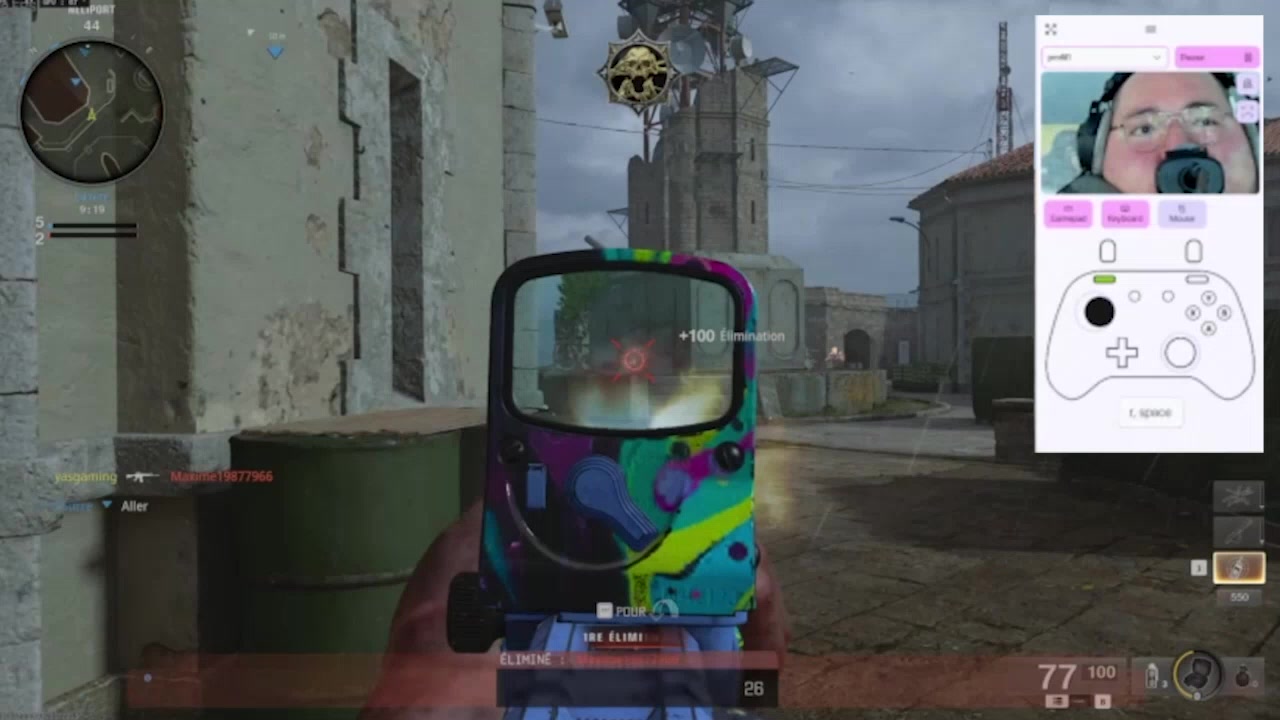
Turn any input into game controls
A smile can press a button. A head tilt can move an analog stick.
Start with what you already have
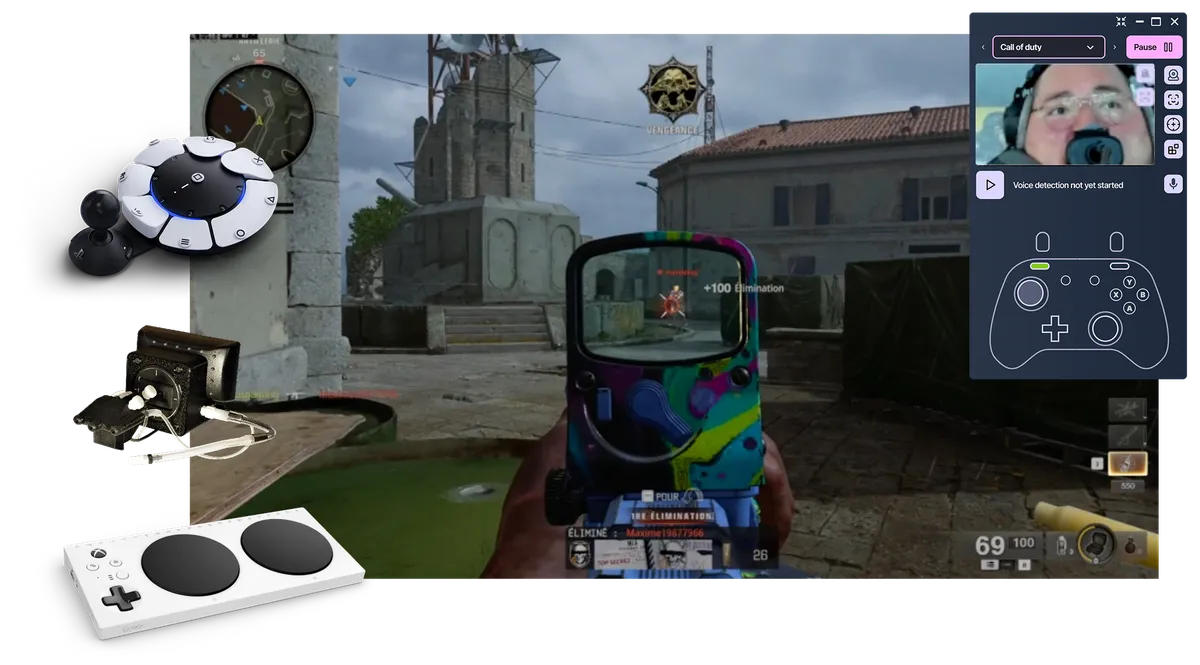
A webcam is enough. Add controllers, switches, or adaptive devices when you need them.
Works with every game
Play PC games directly, with console support through Remote Play or compatible adapters.
What Our Users Say
"Thanks to Playability, the hope of playing video games again without my hands has become a reality. Its creator is dynamic and accessible via Discord, don't hesitate anymore!"

Michael KLAUSZ
"A superb experience with great playability. The smooth and functional gameplay, along with all the updates, makes for an excellent experience. A huge thank you for this application, which finally makes video games accessible to everyone. Thank you, Valentin."

Streamer
"PlayAbility is a very useful program because with its facial and voice recognition AI, it allows me to configure multiple actions in games that I couldn't use before. It's also very practical to be able to configure it on an Xbox controller, as Windows recognizes this type of peripheral perfectly (being from Microsoft). But that's not all, it allows you to configure keyboard keys, individually and combined, configure keyboard for Xbox buttons, Xbox buttons to activate keyboard keys, etc. And it still has more features that I don't master yet and that escape any assessment I can make. As I said, PlayAbility is a very complete program that opens up the universe of video games (on PC and consoles, it's important to remember) to people with disabilities, like me."

Santiago Angulo
"Playability is essential software for a disabled gamer like me. Since I started using Playability, I play many more games."

MyJere
streameur
"My left arm is paralyzed, I've been searching for a solution like this for years, it's amazing ❤️❤️❤️"

Thomas
Handigamer
"Everything is taken into account to be able to interact with the game... this invention is crazy"

Kayane
Pro gamer
"I can play FIFA again, using my face to score and pass! The software is really simple to use"

"Thanks to PlayAbility, I got my first Top 1 in Fall Guys!"

Kvin
Handigamer
"My arm is paralyzed and I can see so many possibilities! I couldn't find any solution before today, it's amazing! Thank you!"

xblade753
Discord user
From movement to game control
Choose what you can use. PlayAbility maps it to the controls your game already understands.
What you use
PlayAbility
- Map each input
- Tune sensitivity
- Combine devices
What the game sees
Use what you can move
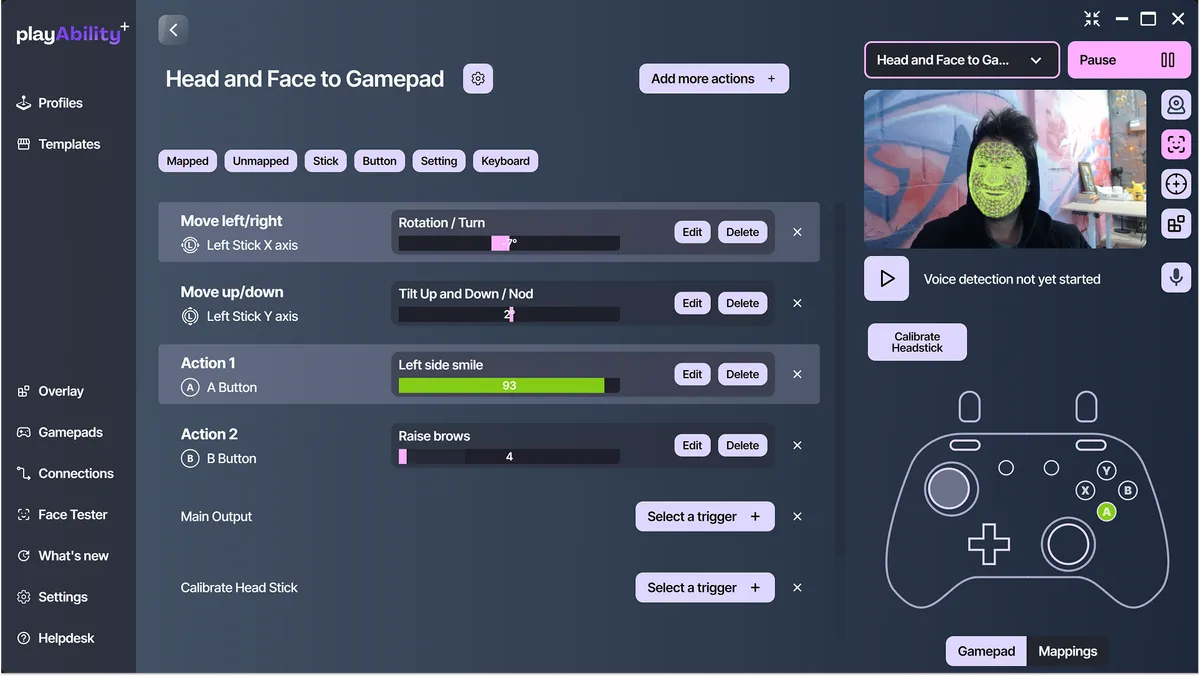
Turn your head to steer or aim, and use a smile or eyebrow raise as button presses.
PlayAbility lets these act as analog controls for precise steering and aiming. See the exact head-tracking and face-gesture settings.
Map it to what the game expects
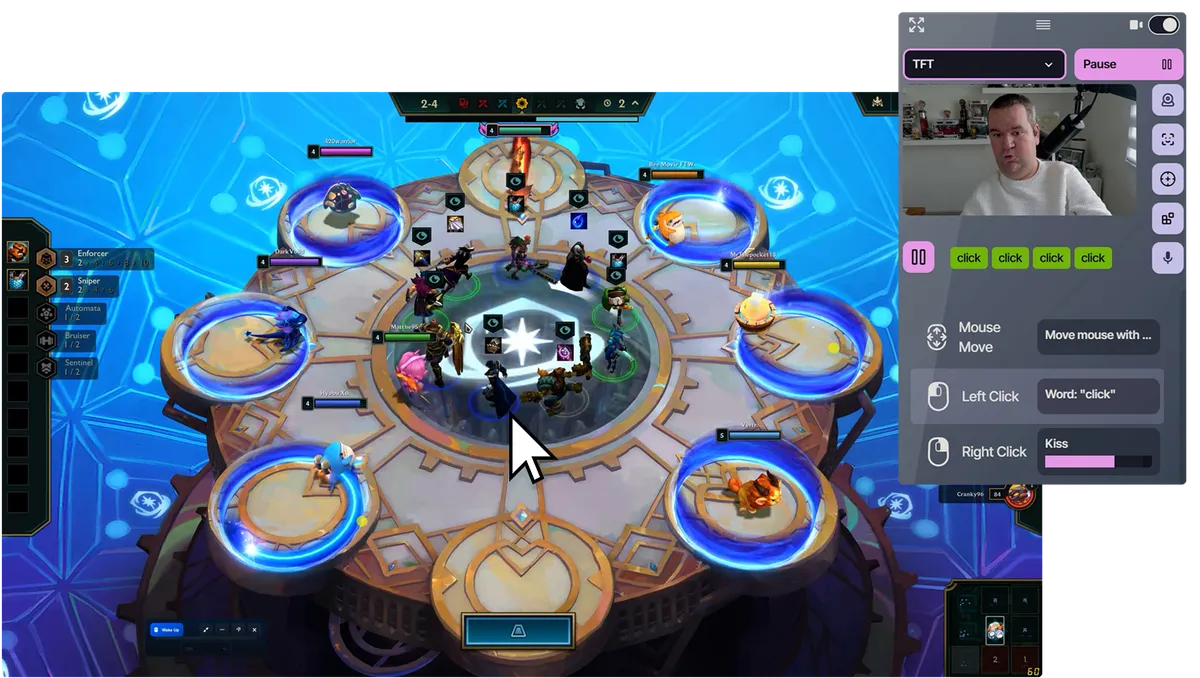
Map any input to any output: face gestures, head movement, voice, mouse, keyboard, gamepad, or switches.
A smile becomes a button. A head tilt becomes an analog stick. A word becomes an action.
Turn what you can use into what the game expects, precisely and reliably.
Play across your favorite setups
PlayAbility creates a virtual controller behind the scenes, so games think you're using a normal keyboard, mouse, or Xbox controller.
With Remote Play or adapter support, you can also play on PlayStation 5 with Chiaki, Xbox with Remote Play or Greenlight, and Nintendo Switch with a PlayAbility Receiver. Your custom controls, everywhere you game.
All controls are free.
Upgrade for more profiles.
Build and use one complete control setup without paying.
Choose Pro for unlimited profiles, more computers, and to support the project.
Free Edition
No credit card needed
- All control features
- 1 customizable profile
- Use on 1 computer
- Free updates included
- Upgrade only when you need more
Pro Edition
Billed monthly • Cancel anytime
- Access to all features
- Unlimited profiles
- Use on all your computers
- Priority access to new features
- Try it risk-free for 30 days
Pro Edition
One time payment • Lifetime access
- Access to all features
- Unlimited profiles
- Use on all your computers
- Priority access to new features
- All future updates included
- Try it risk-free for 30 days
Need the Pro Edition at work? Solo health professionals and occupational therapists can contact us for 50% off the Pro Edition. This offer does not apply to organizations or bulk orders.
Clinics, schools, or institutions looking to purchase multiple licenses: contact us for volume pricing.
Common Questions
Everything you need to know about PlayAbility Adaptive Software
PlayAbility Adaptive Software is a Windows accessibility tool that lets you control games using facial expressions, head movements, voice commands, mouse and keyboard, gamepads and adaptive devices. It works with just a computer with a webcam and microphone and translates your inputs into standard game controls, no special hardware needed.
No. PlayAbility works with any standard webcam (built-in or external) and microphone. No proprietary or expensive hardware required.
Absolutely — and many users rely on it daily. PlayAbility can replace a mouse or keyboard for everyday computer use. You can move the cursor with your head, click with facial gestures, scroll, drag-and-drop, and trigger keyboard shortcuts — all hands-free, in games and across your entire PC.
Yes. PlayAbility works with any PC game that accepts controller, keyboard, or mouse input, including Steam, Epic Games, Xbox Game Pass, and emulators. No special game support or mods required.
Yes. PlayAbility is completely free to download and use with full access to all features and one profile included. To unlock unlimited profiles and support the project, you can buy the Pro Edition.
Yes. PlayAbility creates a virtual Xbox controller and can fully replace a gamepad, keyboard, or mouse.
It can also be used alongside your existing devices, letting you combine multiple inputs into a single setup.
See all supported virtual buttons, sticks, triggers and modes in Gamepad Actions.
PlayAbility runs on Windows but can control most consoles via Remote Play or compatible adapters. Follow the setup for PlayStation 5 with Chiaki, Xbox Remote Play, Cloud Gaming or Greenlight, or Nintendo Switch 1 and 2. PlayAbility doesn't install directly on consoles.